Apple ships an LLM in your terminal
A quick look at fm, the command-line interface to Apple's on-device foundation model, including its OpenAI-compatible local server.
On this page
There is a binary at /usr/bin/fm on my Mac. It talks to the language model that powers Apple Intelligence, entirely on the device, and it can pretend to be an OpenAI endpoint.
TL;DR
- What: a free, private LLM that comes with macOS 27, usable from the shell or as a local OpenAI-style server.
- Good for: small text jobs like summarizing, tagging and pulling structured fields out of text.
- Catch: weak on facts, and tool calling hung when I tried it through the server.
What it is
I ran fm with no arguments and got this.
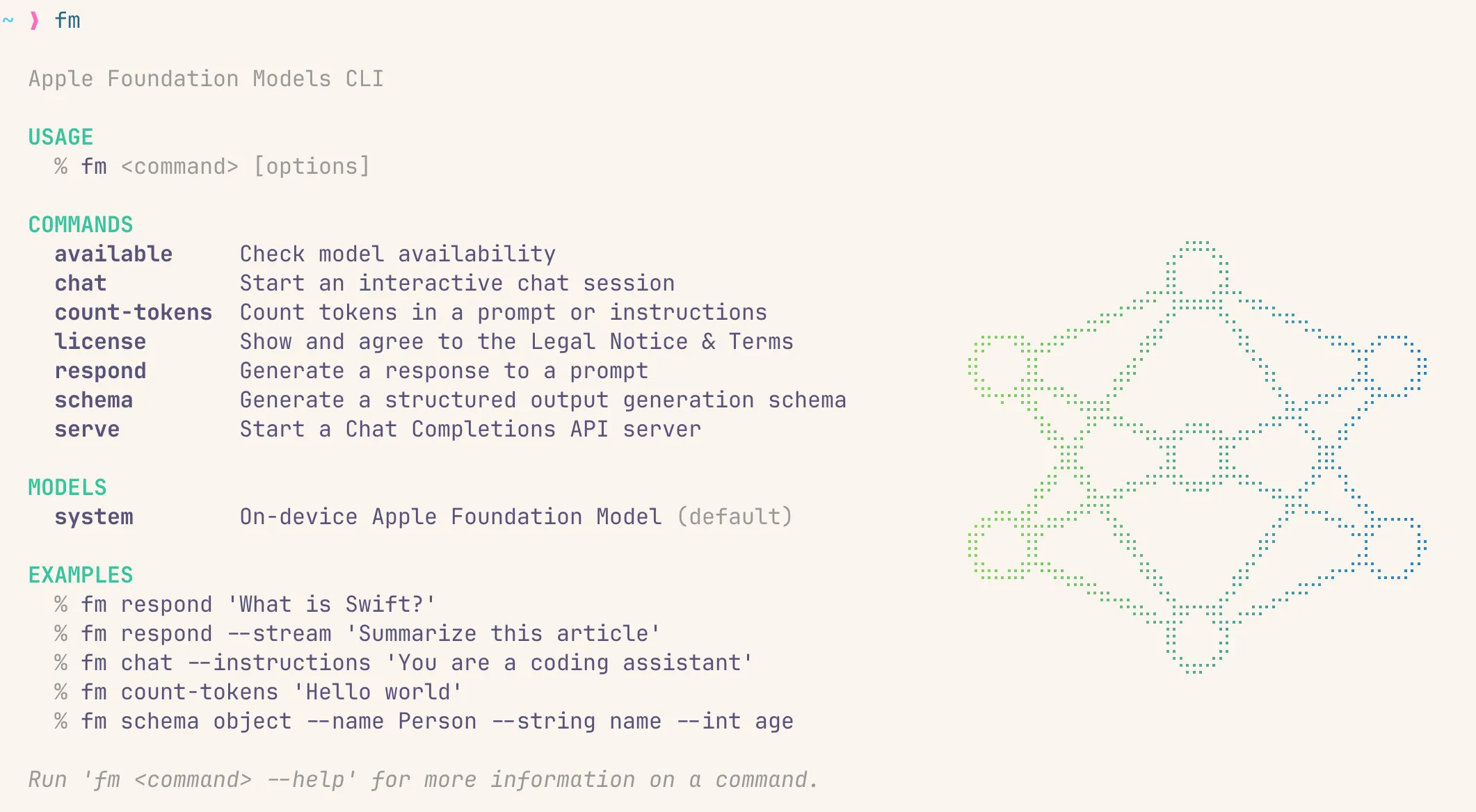
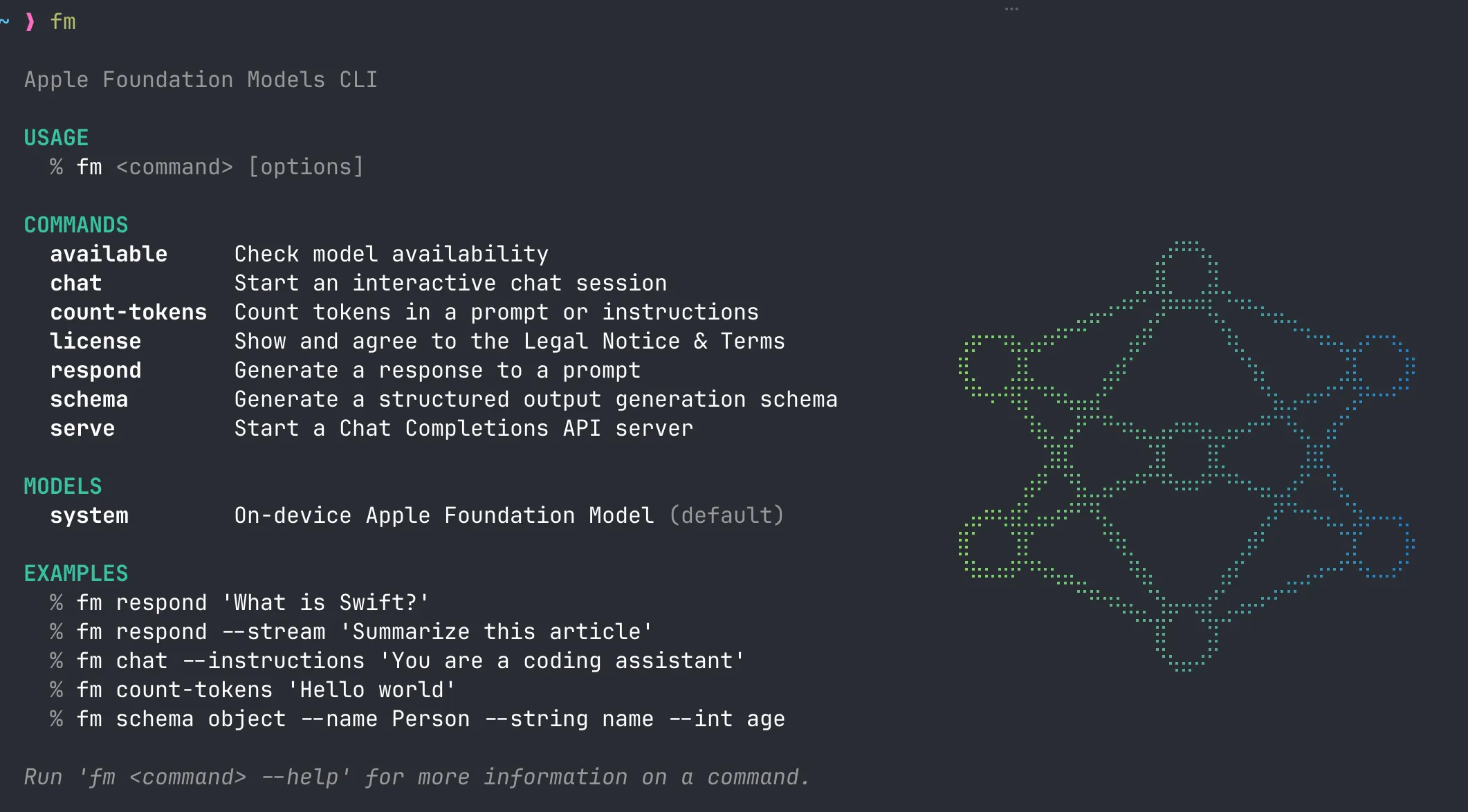
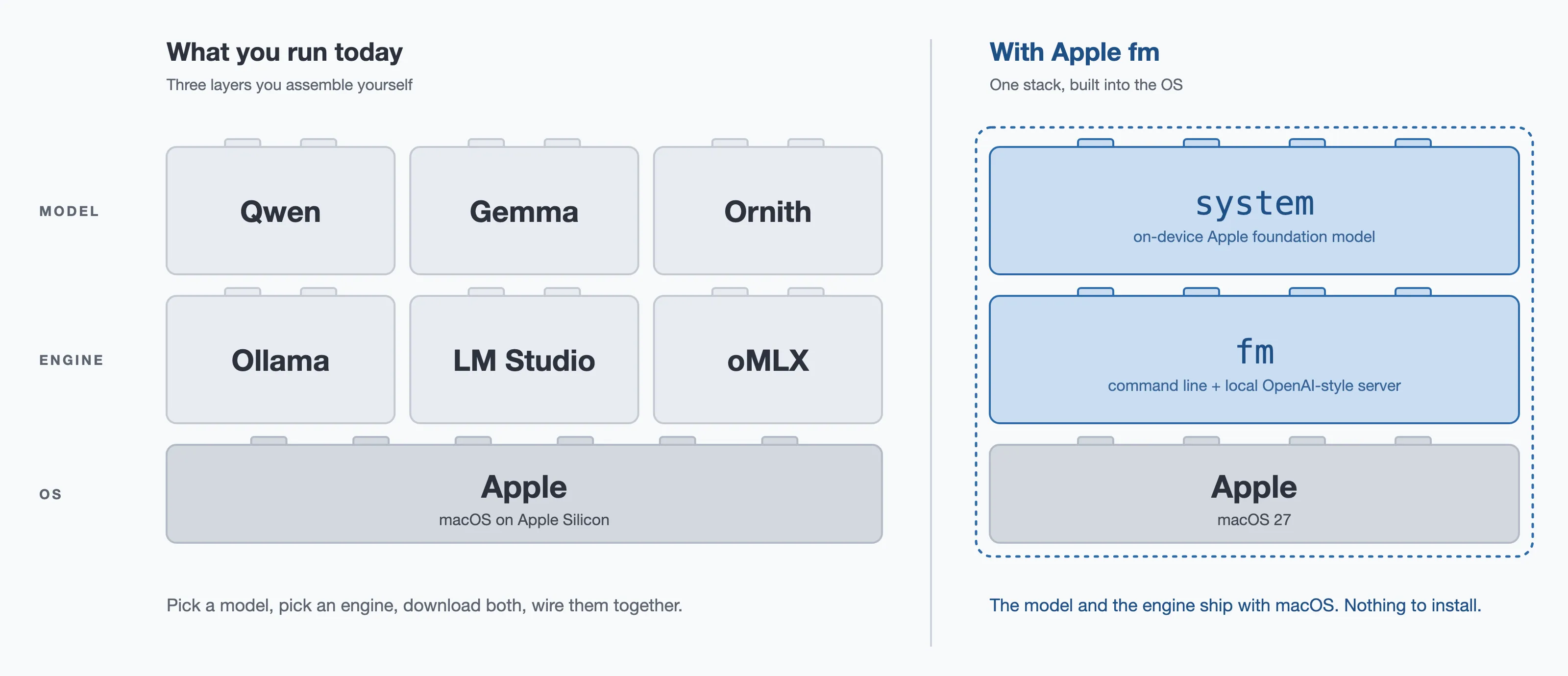
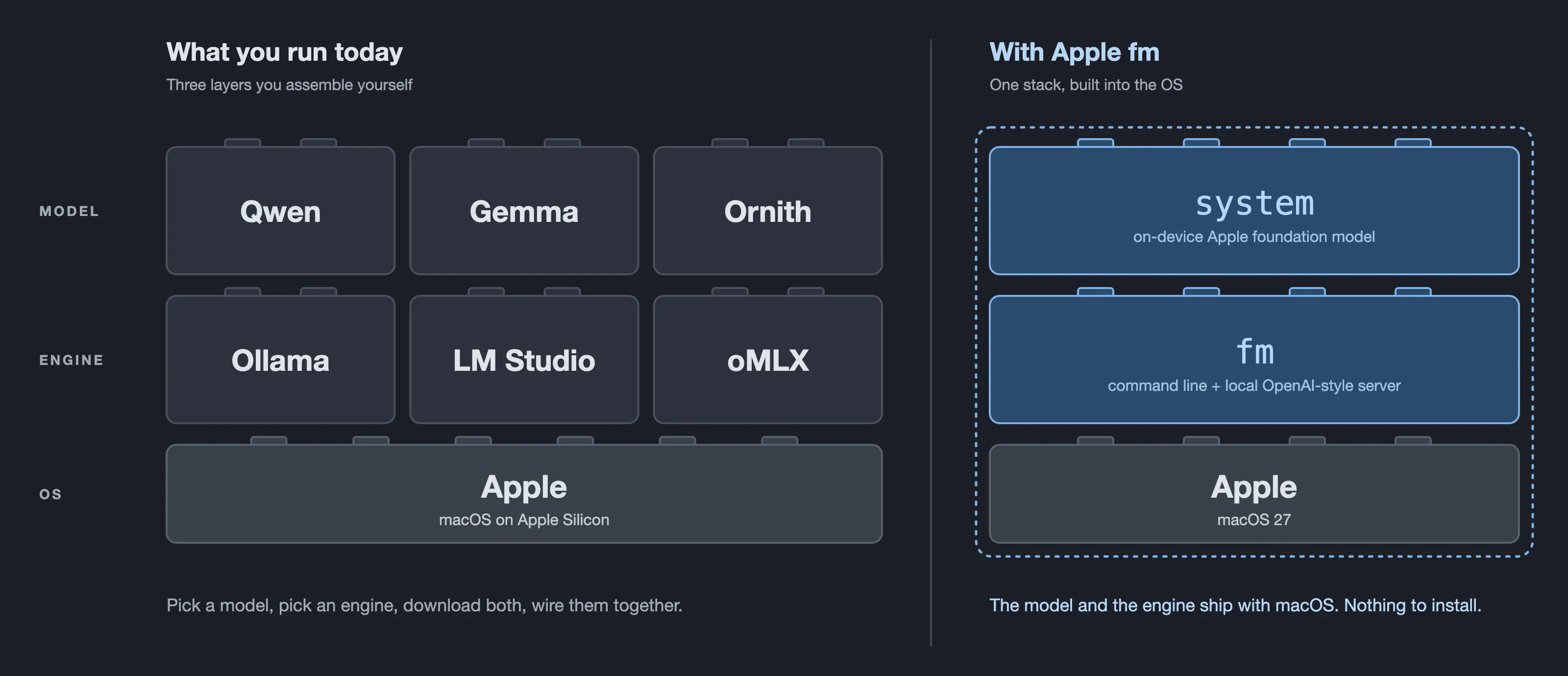
There is one model, system, the “On-device Apple Foundation Model”. No API key, no account, no download. Running a local model today means picking a model, picking an engine and wiring them together. With fm, both ship with macOS.
Set it up
You need:
- macOS 27 (Golden Gate). On macOS 26 (Tahoe) I got
command not found. I am on 27.0.1. - An Apple Silicon Mac. Mine is a MacBook Air: M4, 10 cores, 16 GB of memory, no fan. If an Air can run an LLM locally, so can most Macs sold in the last few years.
- Apple Intelligence turned on in System Settings, in a supported language and region. The model downloads in the background.
Accept the license once, then check the model:
sudo fm license
fm available
# System model available
fm license --status shows whether you have agreed, and fm license --show prints the terms.
Use it from the terminal
fm respond 'In one sentence, what is Swift?'
# Swift is a programming language developed by Apple for creating apps across various platforms.
Output streams by default. It also reads stdin, so it drops into a pipe:
git log --oneline -5 | fm respond -i 'Summarize these git commits in one sentence.'
# These commits include documenting backlog items with GitHub links, adding planning notes, ...
respond also takes images with --image. fm chat opens an interactive session with /save, /resume and /instructions, and both commands can switch on two built-in tools, barcode and ocr, for working with images. fm count-tokens 'Hello world' prints 3, handy for budgeting a prompt.
Structured output
fm schema builds a JSON schema from flags, and fm respond --schema makes the model fill it in:
fm schema object --name Person --string name --int age > person.json
fm respond --schema person.json 'Maria Lopez, 34, joined the design team on Monday.'
# {"name": "Maria Lopez", "age": 34}
That is typed data out of free text, with no parsing on your side. It is the CLI version of the @Generable macro in the Swift framework.
Use it as a local server
This is the part I will actually use.
fm serveIt starts a Chat Completions server on 127.0.0.1:1976 (1976 is the year Apple was founded) with three routes: POST /v1/chat/completions, GET /v1/models and GET /health. --port moves it, for example to Ollama’s 11434. --socket serves on a Unix domain socket instead.
curl http://localhost:1976/v1/chat/completions \
  -H 'Content-Type: application/json' \
-d '{"model":"system","stream":false,"messages":[{"role":"user","content":"In one sentence, what is Swift?"}]}'{"object":"chat.completion","model":"system","choices":[{"index":0,"message":{"role":"assistant","content":"Swift is a programming language developed by Apple for creating software across various platforms."},"finish_reason":"stop"}],"usage":{"prompt_tokens":63,"completion_tokens":21,"total_tokens":84}}(Trimmed to the useful fields.) Note the "stream":false: without it, the server streams the reply as chunks, unlike OpenAI, which streams only when asked.
Speed is fine for small jobs, even on a fanless MacBook Air. A one-line answer takes about 1 to 2 seconds, from the CLI or the server. The server logs every request, and a larger one of mine read 3155→19 tokens · 7.2s.
Where it falls short
Weak on facts, even about itself
I asked the chat what an Apple foundation model is. The answer was confident, vague and slightly wrong: it called the term “not a public definition but a product line or research effort” and ended by telling me it is “not a public entity”. In my limited testing, it is a small on-device model, not an encyclopedia.
Tool calling hung
I pointed omp (Oh My Pi), my agent harness, at fm serve. Plain prompts worked. As soon as the task needed tool calls, it hung. I have not found the cause yet (model, server or client). Apple’s framework supports tool calling on the Swift side, so this may be fixable.
No bigger model
For more reasoning or a bigger context, Apple’s framework points you to Private Cloud Compute or a server model. On my 27.0.1 install, fm lists only system, so I could not try it.
Verdict
It is not a replacement for a frontier model, and it does not pretend to be. It is a free, private, always-there utility model for small text jobs: summarize in a shell script, extract fields with a schema, or answer plain prompts from any tool that speaks the OpenAI format, with nothing leaving the machine.
What surprised me is how little ceremony there is. The model was already on the machine, and the CLI is the first time it feels like a normal Unix tool.
What is next?
If you are on macOS 27, open a terminal and type fm. It takes a minute, and you might find the model was sitting on your Mac all along.
In the next post, I will dig further into tool calling and pipeline streaming. I’ll also try running Hugging Face models and share my findings with you. Hope to see you there.